+1 (917) 565-8527

 info@indeedseo.com

Want to know who someone recently followed on Instagram or who has followed them lately? Instagram offers a few ways to check recent activity, but what you can see depends on whose account you’re viewing. You can check your own following activity more easily, while viewing someone else’s recent followers or following comes with limitations. Here’s what you can check and what Instagram doesn’t reveal.
Please note: Instagram changes its menus often, so names may differ slightly on your screen.
Track Your Instagram growth! Explore our marketing packages to boost followers today.
What You Can and Can’t See on Instagram?
| What you want to see | Can you? | How |
|---|---|---|
| Accounts you recently followed | Yes | Following list, then sort by Date followed: Latest |
| Accounts that recently followed you | Partly | Followers list, notifications, or a data download |
| Someone else’s recent followers or following | Not reliably | No date sort, so the top of the list is only a hint |
| A private account’s lists | No | Only if they approve your follow request |
| Who unfollowed you | Not directly | Compare your lists, since Instagram doesn’t notify you |
How to see who you recently followed on Instagram
Instagram lets you sort the accounts you follow by when you followed them. This is the quickest way to see your recent following.
- Open the Instagram app and go to your profile.
- Tap Following.
- Tap the sort icon (the up and down arrows) at the top of the list.
- Choose Date followed: Latest to put your most recent follows first. Choose Date followed: Earliest to see the oldest.
The sort works on your own Following list only. It’s easiest to find in the app, and the desktop version may not offer it. If you don’t see the icon, update the app.
How to see who recently followed you
Instagram doesn’t offer a date sort for your followers list, so use one of these three methods.
- Check the top of your Followers list. Newer followers often appear near the top, especially on smaller accounts. The order isn’t guaranteed, so use it as a guide.
- Check your notifications. New followers show up as “started following you” in your activity. Older ones drop off, so check regularly.
- Download your data for exact dates. Go to Settings and activity, then Accounts Center, then Your information and permissions, then Download your information. Choose your followers and following. The file lists each account and usually the date it followed you. It can take a while to arrive.
If you run a business or creator account, Insights shows your follower growth over time. It shows totals and trends, not individual names. Our complete guide to Instagram marketing explains which metrics are worth tracking.
Why isn’t my Instagram follower list in chronological order?

Instagram doesn’t show followers strictly in the order they followed you. The list can vary by device and app version, so even the “latest followers” at the top aren’t guaranteed to be the newest.
The following list is the exception, because of its date sort. If you need exact dates for followers, the data download is the reliable route.
How to see someone else’s recent followers or recent following
You can open a public account’s Followers or Following list from their profile. That’s where the useful part ends:
- There’s no date sort on other people’s lists. The top of the list is often more recent, especially on smaller accounts, but it isn’t a reliable timeline.
- Spot-check over time. Note the first 10 to 20 names on the list today and check again in a week. New names at the top suggest recent activity.
- Look at the profiles, not just the names. A brand-new account or an account with few posts is often a recent follow.
Private accounts
You can’t see the followers or following of a private account unless its owner approves your follow request. No legitimate app, site or tool can get around this. Anything that claims to is either a scam or a way to collect your login details.
Do recent follow tracker apps and websites work?
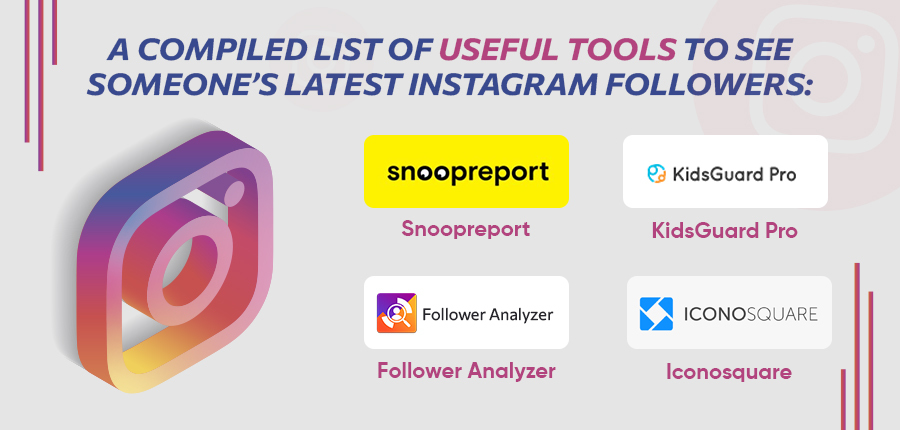
Some help a little, but most promise more than they can deliver. A “recent follow” or “recent followers” tracker generally watches public accounts over time and shows what changed. It can’t read private lists, and it can’t see dates Instagram doesn’t expose.
| What the tool claims | What’s realistic |
|---|---|
| See any account’s recent followers instantly | Instagram doesn’t expose this. Most tools compare snapshots, so results lag. |
| Works on private accounts | It can’t. |
| Free and unlimited | Usually capped, paid, or collecting your data. |
| Just log in with your Instagram password | Risky. See the checklist below. |
Before you connect any tool:
- Don’t give your password to a site you don’t recognise.
- Check what permissions the app asks for, and decline anything excessive.
- Avoid tools that promise to track one person’s activity secretly. That’s a privacy problem, and many break Instagram’s rules.
- Remember that Instagram can limit or suspend accounts linked to tools that break its terms. If that happens, here’s how to recover a deleted or locked Instagram account.
If you’re a parent worried about a teen’s account, use Instagram’s built-in supervision tools instead of covert monitoring apps.
How to see who unfollowed you on Instagram
Instagram doesn’t notify you when someone unfollows. The dependable way is to compare your lists:
- Open your Following list and note the accounts you follow.
- Check whether they appear in your Followers list.
- For a larger account, use the data download and compare the two files.
Insights show your overall follower growth, not who left. Unfollower apps carry the same risks as the tracker tools above. If unfollows keep outpacing new follows, the fix is usually content strategy rather than tracking, and a broader social media marketing plan is the place to start.
Why recent followers matter for business accounts

For a business, new followers are early signals. They show which posts, Reels or campaigns are bringing people in, and they’re a chance to engage while interest is fresh. Spotting a wave of spam or fake accounts also lets you act before it hurts your engagement.
A simple routine works well:
- Check new followers weekly in your notifications and Insights.
- Welcome relevant accounts with a comment or a DM.
- Note which content preceded each spike. Captions, keywords and bio wording also affect how people find you, so it’s worth learning how Instagram SEO works.
- Put paid budget behind the content that already brings followers in. Instagram ads management is built for exactly that.
Organic reach only goes so far. If you want to speed it up, here’s how to get more Instagram followers using Facebook ads.
Want help growing your Instagram following?
Tracking recent followers is useful, but growth comes from a plan. Our team can build and run that plan with our Instagram marketing services.
FAQ
Can you see who recently followed you on Instagram?
Yes, mostly. Check the top of your Followers list, your notifications, or download your data for exact dates. Instagram has no date sort for followers.
Can you see who someone recently followed on Instagram?
Not reliably. You can open a public account’s Following list, but there’s no date sort, so the top of the list is only a hint.
How do I see who I recently followed on Instagram?
Go to your profile, tap Following, tap the sort icon, and choose Date followed: Latest.
Does Instagram show followers in chronological order?
Not strictly. The list varies by device and app version, and newer followers often appear near the top but aren’t guaranteed to. Your Following list has a date sort.
Can you see recent followers on a private account?
No, unless the owner has approved your follow request. No legitimate tool can bypass this.
Can I see recent followers on Instagram on a computer?
You can open the Followers and Following lists on the web, but the date sort may not be available. Use the app for the Date followed sort.
Are recent follow tracker apps safe?
It depends. Avoid tools that ask for your password, request excessive permissions, or promise to spy on private accounts. Instagram can limit accounts linked to tools that break its rules.
How can I see who unfollowed me on Instagram?
Instagram doesn’t tell you directly. Compare your Followers and Following lists, or use the data download for a larger account.
Can you see when someone followed you on Instagram?
Not in the app. Your data download usually includes the date each account followed you.
Can ads help me get more Instagram followers?
Yes. Follower and engagement campaigns can speed up growth, but they work best when the account is set up properly. Here’s how to structure a Meta ads account on a small budget.