+1 (917) 565-8527

 info@indeedseo.com

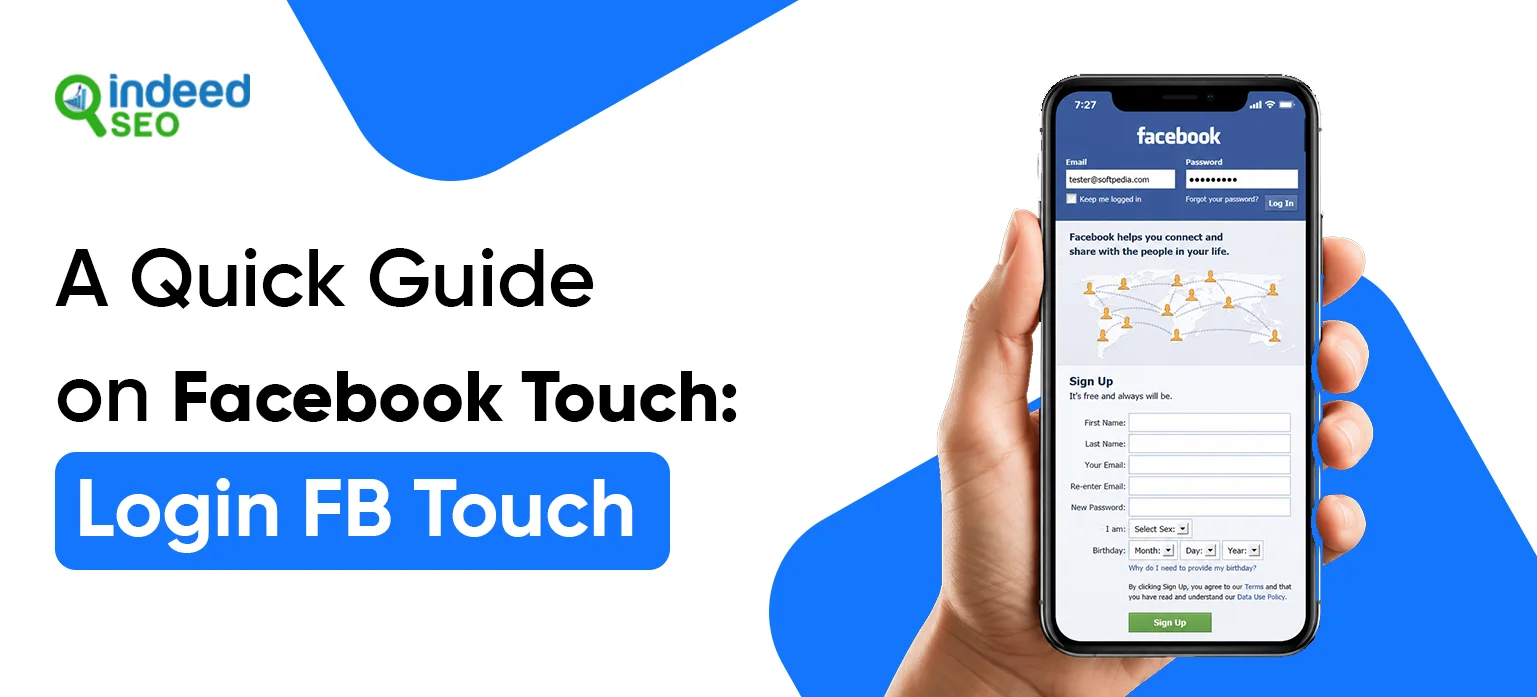
Facebook Touch is a lightweight, browser-based version of Facebook used by users who want faster access, lower data usage, and a simpler browsing experience. It works well on older devices, slower internet connections, and phones with limited storage, making it a practical alternative to the regular Facebook app.
Curious to know more about it? In this post, we’ll cover everything about Facebook Touch, from the login process, core features, to key reasons why users still choose Facebook Touch.
Sign In to Facebook Touch Without Any Hassle
What is Facebook Touch
Facebook Touch is a simple, browser-based version of Facebook that gives users a faster and lighter way to browse and log in.
Key insights about Facebook Touch:
- It is used in a browser, not as a normal app.
- It is usable only through web browsers.
- It loads faster and uses less data than the full Facebook app.
- It is better for older phones or slow internet.
Is Facebook Touch Different From The Regular Facebook App?
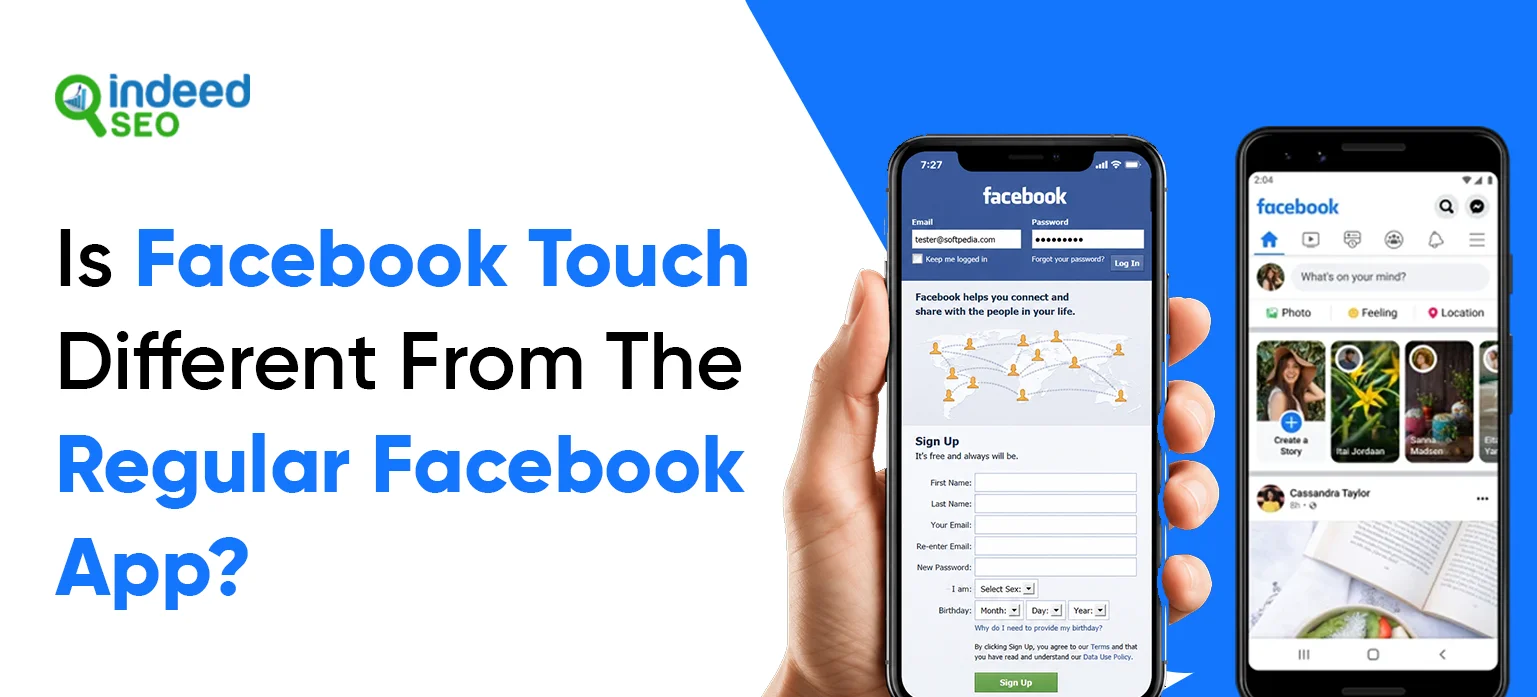
Yes, Facebook Touch and regular Facebook are two different ways to use Facebook:
Facebook Touch
- Lighter version – uses less phone memory
- Browser-based – works in your phone’s web browser (like Chrome)
- Simpler features – basic Facebook stuff only
- Legacy option – older mobile web version from past years
- Redirects now – in 2026, it often sends you to the main Facebook website instead
Regular Facebook App
- Full version – has all Facebook features
- Built for phones – installed app, not just browser
- More functionality – videos, games, live streams, notifications
- Better integration – works with your phone’s camera, contacts, and settings
- Most users use this – the default choice for Facebook
Simple Comparison table
| Feature | Facebook Touch | Regular Facebook App |
|---|---|---|
| Type | Browser website | Installed app |
| Size | Light (small) | Heavy (larger) |
| Features | Fewer advanced features | More features and smoother integration |
| Speed | Can feel lighter on slower devices | Better optimized for full app use |
| Data usage | Usually lower | Typically higher than Touch |
| Device fit | Touchscreen of any mobile web browser | Native app for iOS and Android |
| Best for | Old phones, low memory | New phones, all features |
Why Do People Use Facebook Touch?
People use Facebook Touch for these main reasons:
- Old phones – Works better on phones with low memory or slow processors
- Save phone space – Doesn’t need to download and install the app
- Quick access – Opens directly in the browser without installation
- Less data usage – Uses less internet data than the regular app
- Temporary use – Good for logging in when you don’t have the app installed
- Privacy – Some people prefer browser use over installed apps
Step-by-Step Facebook Touch Login Process
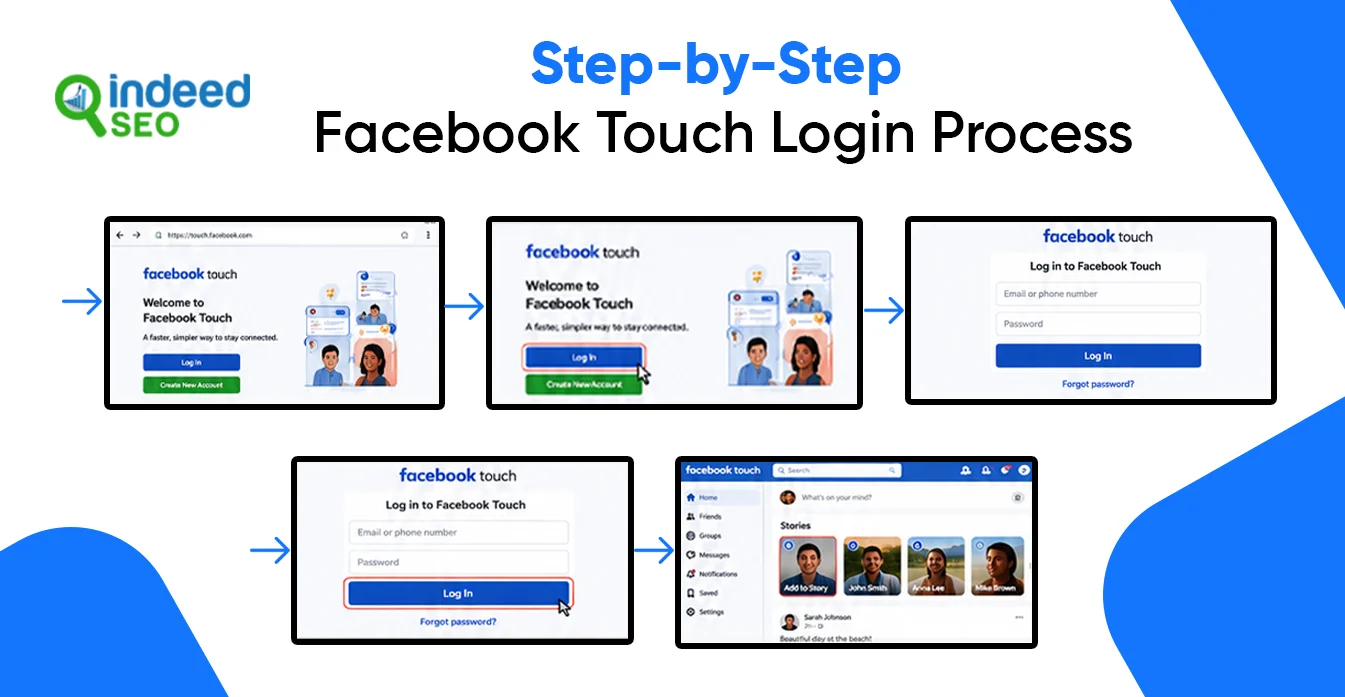
Logging into Facebook Touch is very much like the same process used for the normal Facebook app. If you have a Facebook account, it is an easy process that will take just a few minutes. Here is how to get Facebook Touch on your mobile browser:
Step 1: Open a Web Browser
Open any mobile browser on your mobile phone, like Chrome, Safari, Firefox, or Edge. Ensure you have a steady internet connection before beginning.
Step 2: Visit Facebook
Open your browser and type in the address bar, facebook.com, and click Enter. Facebook automatically loads the lighter Touch interface for mobile users in certain instances.
Step 3: Wait for the Login Page to Load
Open the site, and you will see the Facebook login box. Depending on your device and the current version of Facebook, you can be taken to the default mobile version instead of Facebook Touch.
Step 4: Enter Your Login Credentials
Type the email address, phone number or username linked to your Facebook account in the first box. Then enter your password in the password box.
Step 5: Verify Your Information
Ensure you are logged in with the right information before you continue. Incorrect credentials may lock you out of your account.
Step 6: Tap the “Log In” Button
Click the Log In button to input your credentials. Facebook will check your details and execute your login request
Step 7: Access Your Facebook Account
Assuming your credentials are accurate, Facebook will access your account dashboard. Your feed, alerts, messages, and other Facebook features are now available for browsing.
Facebook Touch Features in 2026
Although the original Facebook Touch interface no longer exists as a separate platform, users can still access a lightweight Facebook experience through the mobile web version. The browser version provides most of Facebook’s core features without requiring the Facebook app.
News Feed Browsing
- View posts from friends, groups, and pages.
- Browse photos and videos.
- Access Facebook Reels through the mobile website.
- Receive personalized feed recommendations.
Messaging
- Read and send messages through Facebook’s messaging interface.
- Access conversations without installing additional apps in many cases.
- Stay connected through browser-based messaging.
Groups and Communities
- Join Facebook groups.
- Create posts and comments.
- Receive group notifications.
- Manage groups if you are an admin.
Facebook Pages
- View and manage business pages.
- Publish updates and content.
- Monitor page activity and engagement.
Marketplace
- Browse local listings.
- Search products by category.
- Contact buyers and sellers.
Account Settings
- Change privacy settings.
- Update passwords and security preferences.
- Review account activity.
- Manage profile information.
Limitations of Facebook Touch Compared to the Regular Facebook App
Fewer AI Features
- AI-powered tools and experiences like Meta AI are generally more limited on the mobile web version.
Simplified Video Experience
- The reels option is not available in the app.
- Some advanced media features are missing.
Limited App-Only Features
- Certain experimental features often launch in the app first.
- Some advanced content creation and editing tools are available.
Reduced Performance Features
- Push notifications, background syncing, and some app integrations may be more limited than in the native app.
Tips for First-Time Facebook Touch Users
If you’re new to Facebook Touch, here are some basic tips to help you get a smoother experience when using Facebook Touch.
Use the Mobile Website Directly
Facebook Touch is now mostly redirected to the Facebook mobile site. If the Touch version does not load, then just go to m.facebook.com or facebook.com on the browser.
Save the Website as a Bookmark
Save Facebook as a bookmark in your browser for easier access instead of typing in the URL each time. Facebook also suggests adding the mobile site to your favorites.
Enable Two-Factor Authentication
Enable two-factor authentication for your account security. This provides an additional layer of protection to your Facebook log-in.
Log Out on Shared Devices
When you’ve finished using Facebook on a public or shared phone, make sure to log out for your own security.
Use a Stable Internet Connection
A solid internet connection means that sites, images, and videos load quickly, and you have less login troubles.
Update your browser
Upgrade to the latest version of Chrome, Safari, Firefox or Edge. The Facebook Touch works better on these browsers.
Adjust Privacy Settings Early
Once you’ve signed in, check your privacy and security settings to restrict who access your profile, posts, and personal information.
Avoid Third-Party Facebook Touch Apps
Use Facebook through the official website or app. Avoid downloading unofficial “Facebook Touch” APKs or third-party versions.
Clear Browser Cache if Face Issues
If Facebook is sluggish to load or doesn’t work properly, clearing your browser cache and cookies will often do the trick.
Sign In to Facebook Touch Without Any Hassle
Conclusion
Need assistance with Facebook Touch or Facebook page management? Contact IndeedSEO! From setting up and optimizing your page to launching and promoting it, our team provides end-to-end marketing services to help you achieve your goals at affordable pricing.