+1 (917) 565-8527

 info@indeedseo.com


You type your business name into Google. Nothing. Or you search for what you sell and your site isn’t there.
It feels like something is broken. Most of the time, it’s one of a few causes, and you can find out which one in about ten minutes.
This guide walks you through it in order. First you check whether Google knows your page exists. Then you match what you find to a fix. Everything about how Google works comes from Google’s own help pages, and we link to them.
First, decide which problem you have
Two different problems sound the same:
- Your page is not in Google at all (it’s “not indexed”). Fix the cause, then wait for Google to come back.
- Your page is in Google, but you can’t find it (it’s indexed, but it ranks low). This is a ranking problem. Skip to the section “If your page is indexed but still not showing.”
Step 1 tells you which one you have.
Step 1: Search for your site with “site:”
- Go to Google.
- Type site:yourdomain.com(use your own address, with no spaces).
- Look at the results.
If you see your pages: Google knows your site. Go to the section on ranking.
If you see nothing: your site may not be in Google yet. Keep going.
One warning from Google: the site:search doesn’t always show every page that is indexed. So treat it as a quick hint, not the final answer. Step 2 is more exact.
Step 2: Ask Google about one page
The best tool for this is Google Search Console. It’s free. If you haven’t set it up, add your site and verify that you own it.
Then:
- Open Search Console and select your site.
- Paste the page’s full address into the box at the top.
- Press Enter and read the result.
Google says the result will be one of these:
| What you see | What it means |
|---|---|
| URL is on Google | The page is in Google’s index and eligible to appear. (That doesn’t promise it will show for every search.) |
| URL is on Google, but has issues | It’s indexed, but something needs fixing. |
| URL is not on Google | It isn’t indexed. Read the reason shown. |
| URL is an alternate version | Google treats another page as the main one. |
Also look at these lines in the result:
- Crawl allowed? Tells you whether your robots.txt file lets Google visit.
- Indexing allowed? Tells you whether a “noindex” instruction is blocking it.
- Google-selected canonical: the version of the page Google chose.
Tip: the main result shows the version Google saved last time, not the live page. Click Test live URL to check the page as it is now.
Step 3: See the big picture for your whole site
In Search Console, open Pages (the Page indexing report). It lists which pages are indexed and which are not, and why.
Match what you see to the table:
| Reason in the report | What it means | What to do |
|---|---|---|
| Crawled – currently not indexed | Google visited the page but chose not to add it. Google says this is common and not always a problem. | Check important pages with URL Inspection, and make sure the page is useful and unique. |
| Discovered – currently not indexed | Google knows the address but hasn’t visited yet. | Wait, and make sure the page is linked from other pages on your site. |
| Excluded by noindex tag | A “noindex” instruction is stopping indexing. | Remove it if you want the page indexed (see below). |
| Blocked by robots.txt | Your robots.txt file stops Google from visiting. | Remove the block. (See the note on robots.txt below.) |
| Duplicate without user-selected canonical | Google thinks another page is the main version. | If Google picked the wrong page, tell it which one you prefer. |
| Soft 404 | The page looks “not found” but doesn’t return a real 404 code. | Return a real 404 for missing pages, or add real content. |
| Page with redirect | The address redirects elsewhere, so only the target can be indexed. | Usually fine. |
| Not found (404) | The page doesn’t exist. | Fine if you removed it. If it moved, add a 301 redirect. |
| Server error (5xx) | Your server failed when Google asked for the page. | Check your hosting and any firewall that might block Google. |
If your important pages show up under one of these, you’ve found your cause.
The most common causes, and the fix for each

1. The site is new
Google says it usually finds new sites on its own, but “it can take a few weeks for Google to notice a new site.” Sites get missed when nobody links to them, when the site is new, or when crawling hits errors.
What to do: Add your site to Search Console, ask Google to index your main pages, and get your site linked from other real websites (for example, your social profiles and business listings). Then wait.
2. A “noindex” instruction is blocking you
A noindex tag tells Google not to show a page. It’s sometimes added by mistake, for example when a site is built in test mode and nobody removes it. It can be a tag in the page’s code (<meta name=”robots” content=”noindex”>) or a setting sent by the server.
What to do:
- Check URL Inspection (“Indexing allowed?”) or the Page indexing report.
- Check your website platform’s search settings. In WordPress, look under Settings → Reading for an option that discourages search engines (the wording can change).
- Remove the noindex tag or header.
- Make sure robots.txt doesn’t block the page.
- Ask Google to recrawl the page.
Google says the page “must not be blocked” by robots.txt for noindex to work. If it is blocked, Google never sees the noindex rule.
3. Your robots.txt file blocks Google
Many people think robots.txt hides a page from Google. It doesn’t. Google says robots.txt is mainly for managing crawler traffic, and a blocked page can still show up in results, without a description, if other pages link to it.
What to do: If you want Google to index a page, take it out of robots.txt. If you want a page hidden, use a noindex instruction or password protection, not robots.txt.
4. Errors on your site
If Google can’t load your pages, it can’t index them. This includes server errors (5xx), pages that return “not found,” and “soft 404” pages that look empty.
What to do: Open the Page indexing report and look for these reasons. Fix server problems first. Check that your host is working and that a firewall isn’t blocking Google. Use a 301 redirect when a page has moved.
5. Duplicate pages
Several pages that are very similar can confuse Google about which one to show. Google doesn’t call this a penalty. It picks one version (the “canonical”) and treats the rest as copies.
What to do: If Google picked the wrong page, tell it which one you prefer. Google lists three ways, from strongest to weakest: a permanent (301) redirect, a rel=”canonical”tag, and listing the preferred address in your sitemap. Don’t use noindex to choose between duplicates, because that blocks the page completely.
6. “Crawled – currently not indexed”
This means Google looked and decided not to add the page, for now. It’s common. It isn’t always a sign of trouble.
What to do: Look at the page honestly. Is it thin, copied from somewhere else, or very similar to another page? Make it more useful and unique. Link to it from your important pages. Then check again later.
7. Google can’t find or reach your pages
If no other page links to a page, Google may never find it. Google also notes that some designs are hard to crawl, such as content that depends on non-HTML technology, or images and video without any text.
What to do: Link important pages from your menu and from other pages. Add a sitemap. Put key content in plain text, not only in images or video.
About sitemaps: Google says a sitemap helps most on large sites and on new sites with few links, and that it “doesn’t guarantee that all the items in your sitemap will be crawled and indexed.” It’s useful, but it’s not magic.
8. A manual action
This is rare. A human reviewer at Google can apply a manual action if a site breaks Google’s spam policies. Google says that if a site has one, “some or all of that site will not be shown in Google search results.”
What to do: Open the Manual actions report in Search Console. If it shows a problem, fix it on all the pages listed (partial fixes don’t earn a partial return), then use Request review. Reviews usually take several days or weeks, and link-related ones can take longer. If the report shows a green check mark, this isn’t your problem.
9. Your page is fine, but you’re searching the wrong way
Try these quick tests:
- Search for your exact business name plus your city.
- Use a private (incognito) window, since results can change with your location and history.
- Search site:with your address again after a few days.
If your site appears for your name but not for general searches, you have a ranking problem. That’s the next section.
How long does it take?
Google gives these timings:
- A new site: it can take a few weeks to be noticed.
- A recrawl request: crawling can take a few days to a few weeks. Asking again for the same page doesn’t make it faster.
- “Validate fix” in the Page indexing report: typically up to about two weeks, sometimes longer.
- Changes in general: some take hours, others several months. Google suggests waiting a few weeks before judging the result.
Google also says that asking to be crawled “does not guarantee that inclusion in search results will happen instantly or even at all.” So be patient, and fix the causes above instead of repeating requests.
If your page is indexed but still not showing
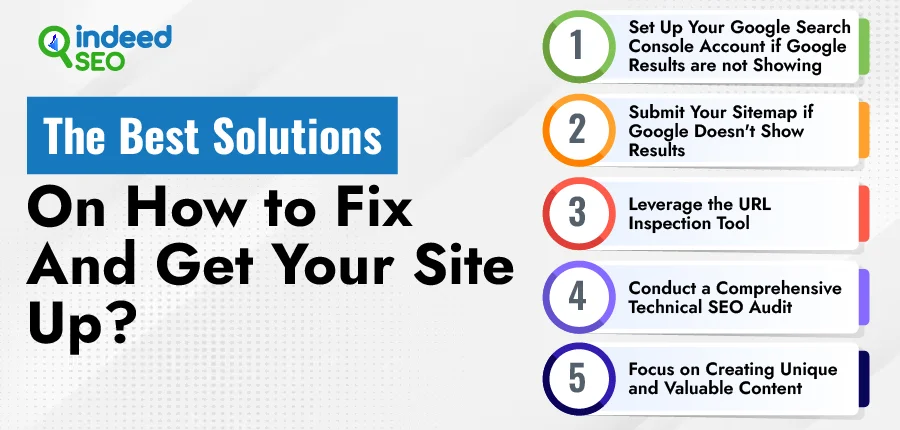
Being indexed means Google knows your page. It doesn’t mean the page will appear near the top for your search. Google says there are “no secrets here that’ll automatically rank your site first,” and that content people find useful is more likely to help.
If you’re indexed but low:
- Check what people really search. Open the Performance report in Search Console to see which searches show your page, and at what position.
- Match the search. Look at the top results for your target phrase. Do they answer the same question your page does?
- Improve the page. Clear headings, helpful content, fast loading and a clear answer all help. Our on-page optimization guide shows what to fix.
- Add useful content. Pages that answer real questions get found. See our SEO content writing.
- Earn real links. Links from other trusted sites help. Don’t buy them. Google lists buying links as against its spam policies.
- For local businesses, fill in your Google Business Profile completely. Our local SEO services page explains how that works.
What not to do
- Don’t ask for indexing again and again. Google says it doesn’t speed things up, and there’s a daily limit.
- Don’t rely on robots.txt to hide pages. Use noindex or a password.
- Don’t use noindex to choose between duplicates. Use a redirect or canonical.
- Don’t buy links to try to get noticed.
- Don’t assume a sitemap fixes everything. It helps Google find pages. It doesn’t promise indexing.
If you meant something else
Some people searching this phrase are really seeing an error, such as “webpage not available” or a Google Sites page that won’t load. Those aren’t search-listing problems. They usually mean the page address is wrong, the site is down, or your internet connection has a problem. Check the address, try another device, and ask whoever hosts the site if it’s online.
A short checklist
- Search site:yourdomain.com.
- Add your site to Google Search Console.
- Inspect your home page and your top pages with URL Inspection.
- Open the Page indexing report and read the reasons.
- Look for a noindex tag or a robots.txt block.
- Fix errors (5xx, 404, soft 404).
- Make sure every important page is linked from another page.
- Check the Manual actions report.
- Ask for indexing once, then wait and check again.
When to get help
If you’ve worked through the list and your pages still aren’t indexed, or you can’t tell which cause applies, a technical SEO audit can find the problem faster. If you’d like a full plan, see our SEO services.
Need a hand?
If you’d like us to find out why your site isn’t showing, request a free audit and quote from IndeedSEO or talk to our team.
Questions people ask
Why is my website not showing up on Google?
The most common reasons are that the site is new, a noindex tag or robots.txt block is stopping Google, there are server or page errors, or the pages are duplicates or low in value. Check with URL Inspection and the Page indexing report to find yours.
How long does it take for a new website to show up on Google?
Google says it can take a few weeks to notice a new site. Asking for indexing can speed up discovery, but it isn’t a guarantee.
How do I check if my website is on Google?
Search site:yourdomain.com, then confirm with the URL Inspection tool in Search Console.
Do I have to submit my website to Google?
Usually no. Google finds sites on its own. You can add your site to Search Console and send important pages to check progress and speed things up.
Does a sitemap guarantee my pages will be indexed?
No. Google says it doesn’t guarantee that every page in a sitemap will be crawled or indexed. It helps most on large or new sites.
Does robots.txt remove a page from Google?
No. Google says robots.txt is not a way to keep a page out of Google. Use a noindex instruction or password protection.
What does “Crawled – currently not indexed” mean?
Google visited the page but chose not to add it to its index for now. Google says this is common. Improve the page’s value and links, then check again.
What does “Discovered – currently not indexed” mean?
Google knows the address but hasn’t visited it yet. Make sure the page is linked from other pages, and give it time.
Can duplicate content get my site penalized?
Google doesn’t describe duplicate content as a penalty. It chooses one version to show and treats the others as copies. You can guide it with a redirect or canonical tag.
Why did my website disappear from Google?
Common reasons are a noindex tag added by mistake, a robots.txt change, server errors, a manual action, or a big change to your pages. Check Search Console’s Page indexing and Manual actions reports.